Emulate AVA Application
01. Introduction
Leading Cross-Platform Front-End Development
Leading an engineering team through the development of a complex cross-platform application taught me invaluable lessons about technical leadership, architectural decision-making, and strategic planning. Here's how we transformed our goals into measurable results.
02. Objective
Develop a native, cross-platform application
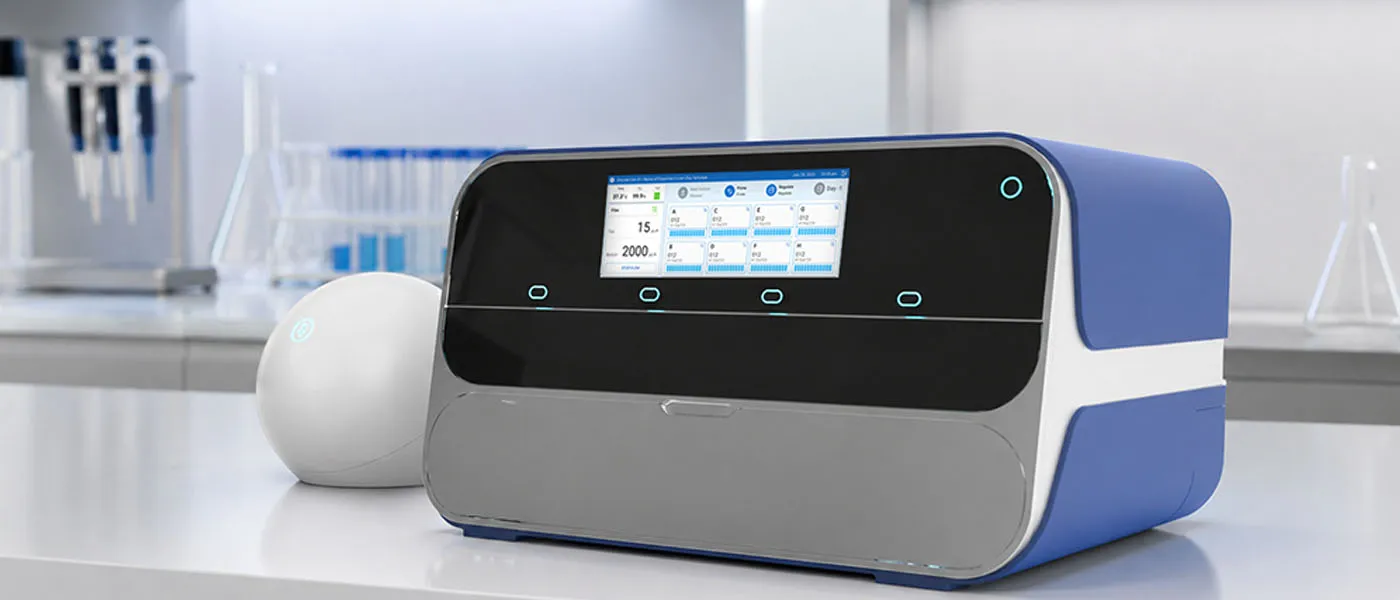
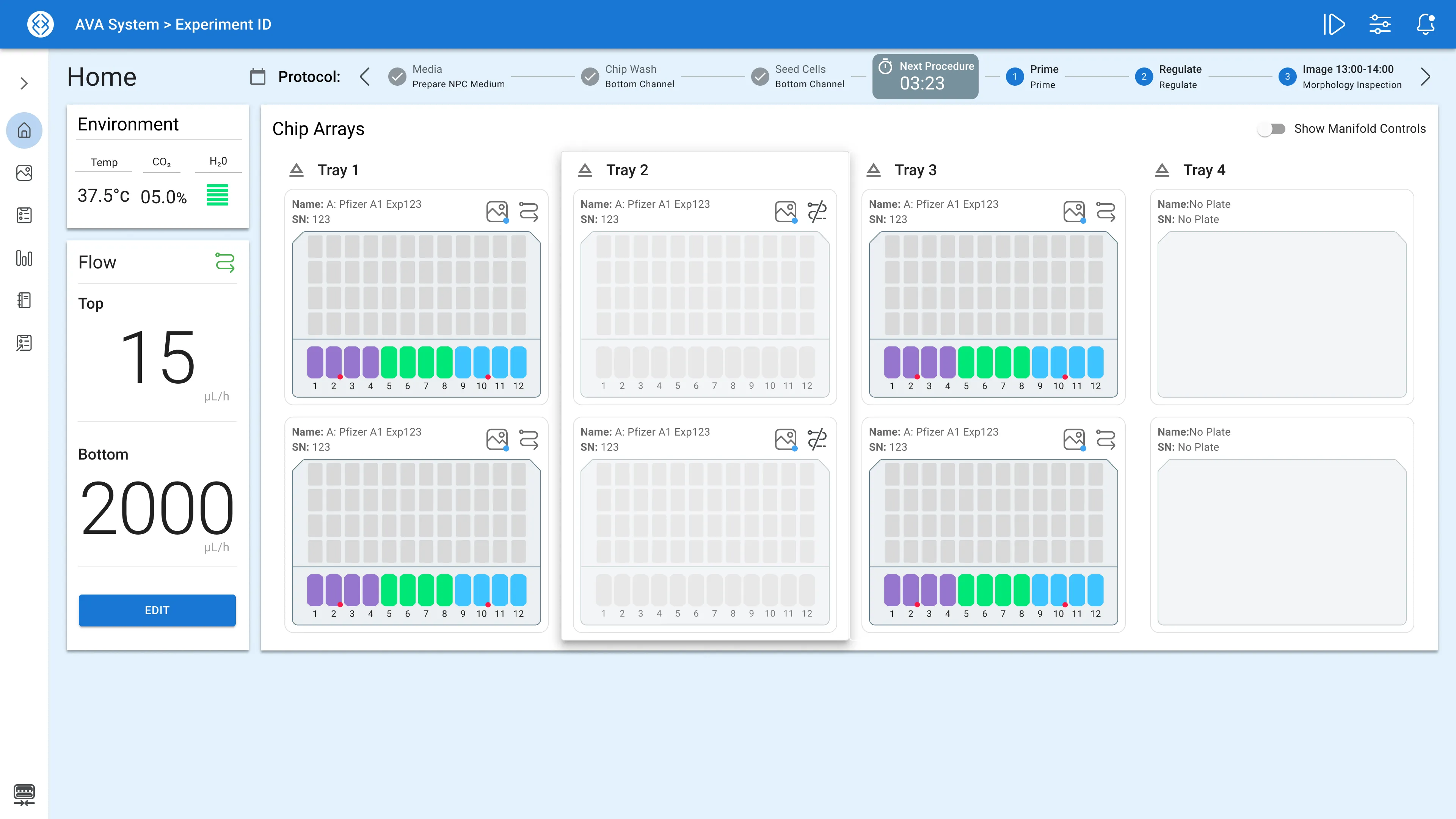
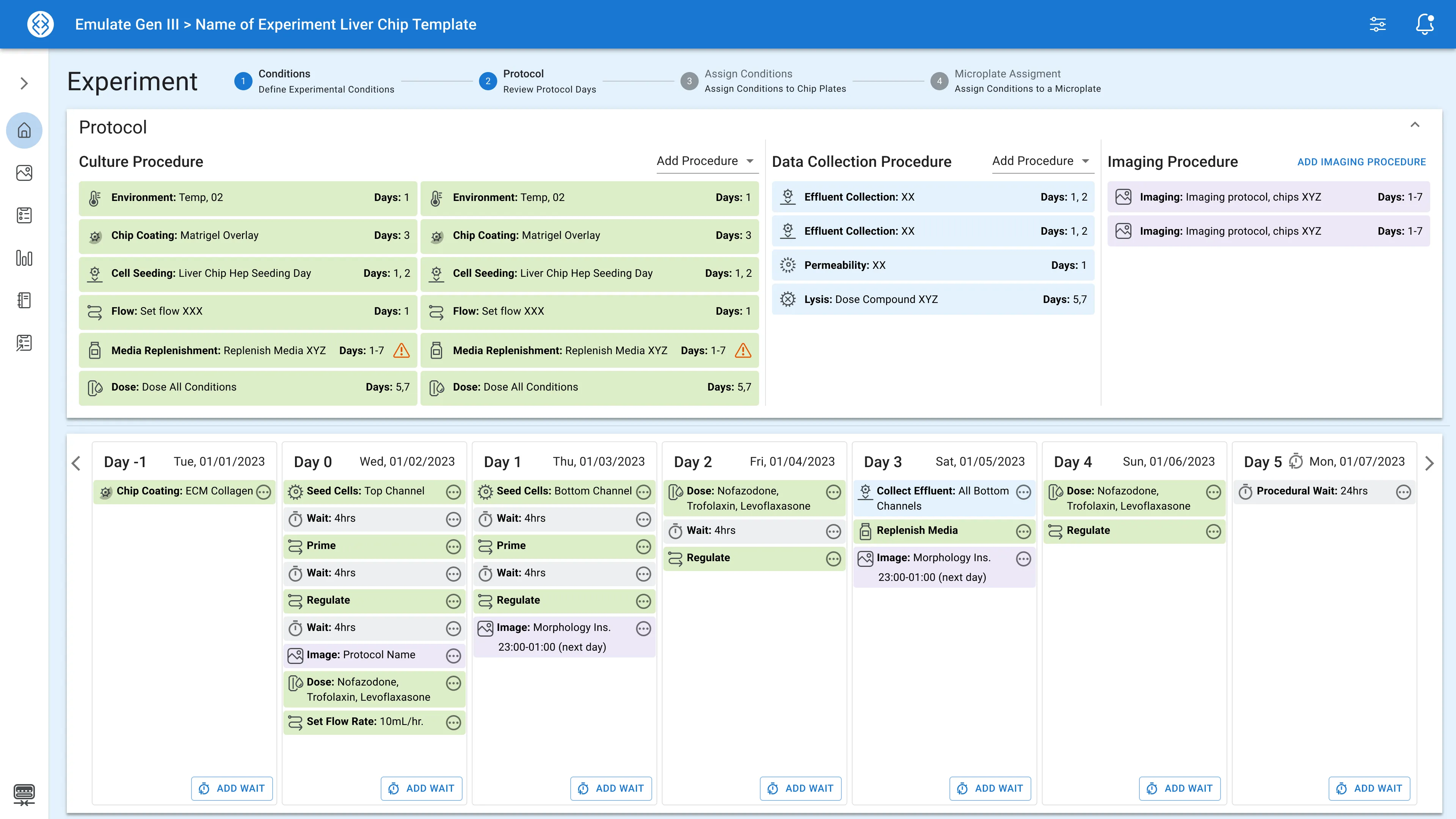
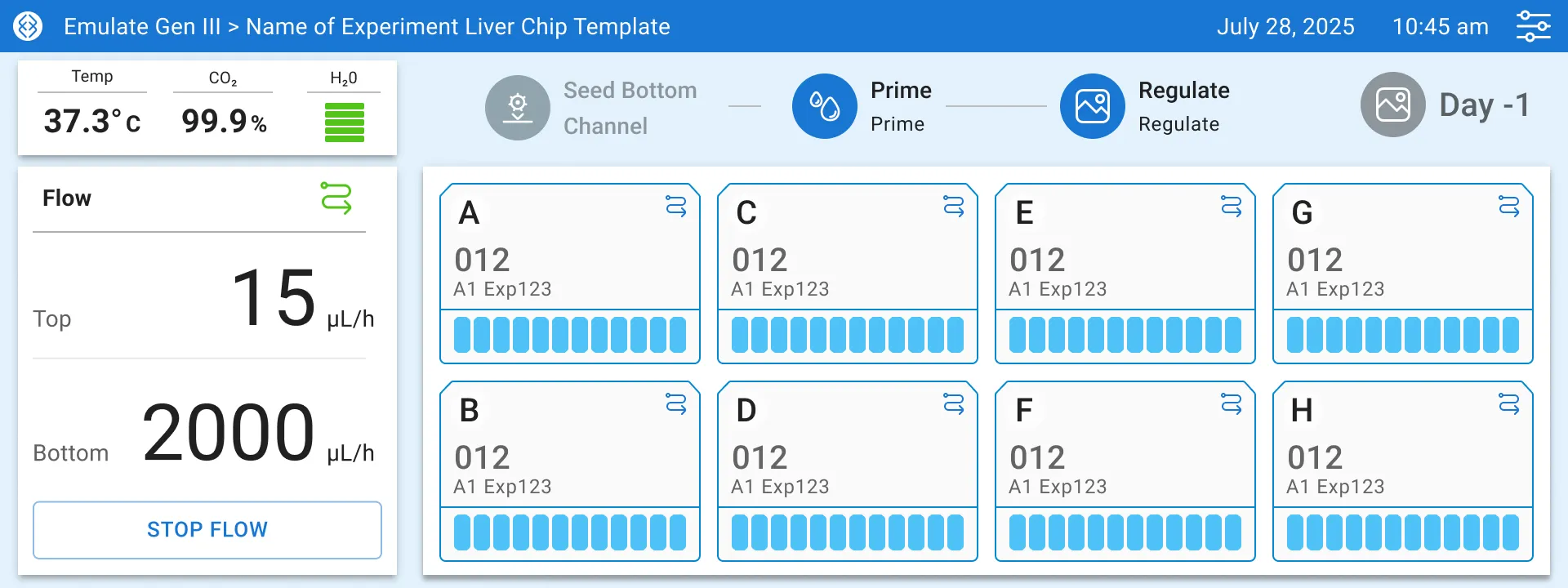
When we began this project, our objective was clear: create a desktop application that would work seamlessly across Linux, Windows, and macOS while maintaining the flexibility to support real-time, operations. Our application needed to handle real-time data synchronization for biological studies, support embedded systems integration, and provide a user experience that felt native regardless of the operating system. Most importantly, we had to do this with a small but capable team of three engineers, requiring every decision to maximize both efficiency and impact.
We chose React and Electron as our tech-stack. By defining a clear technical roadmap and IPC (Inter-Process Communication) data flow architecture from the start, we achieved true cross-platform compatibility. The result: our application runs identically across Linux, Windows, and macOS with 100% feature compliance.
03. Challenges
Navigating Challenges
The Cross-Platform Puzzle
Our first major challenge was achieving true cross-platform compatibility. While many solutions claim to work "everywhere," the reality is often a lowest-common-denominator approach that satisfies no one completely. We needed 100% compatibility without compromising on performance or user experience.
Team Coordination and Knowledge Transfer
With a lean team, we couldn't afford lengthy on-boarding periods. Every team member needed to understand not just their individual responsibilities but how their work integrated with the broader system architecture. The challenge was creating workflows and documentation that would enable rapid knowledge transfer without sacrificing development time.
Real-Time Performance Requirements
Perhaps our most technically demanding challenge was implementing real-time data synchronization with sub-100ms response times. In these scenarios, even minor delays can have significant consequences. We needed an architecture that could handle high-frequency data updates while maintaining system stability and user interface responsiveness. Utilizing cache from the electron chromium browser, lazy loading heavy assets and code memoization were some of the ways we were able to solve these issues.
Code Maintainability and Scalability
As the application grew in complexity, we faced the classic challenge of maintaining clean, scalable code. Our initial UI components were becoming larger, with significant duplication across similar interfaces. We needed a solution that would reduce complexity while increasing re-usability. Utilizing a monorepo structure where we can share components across applications was key towards expediting our development.
04. Accomplishments
Converting Challenges into Measurable Success
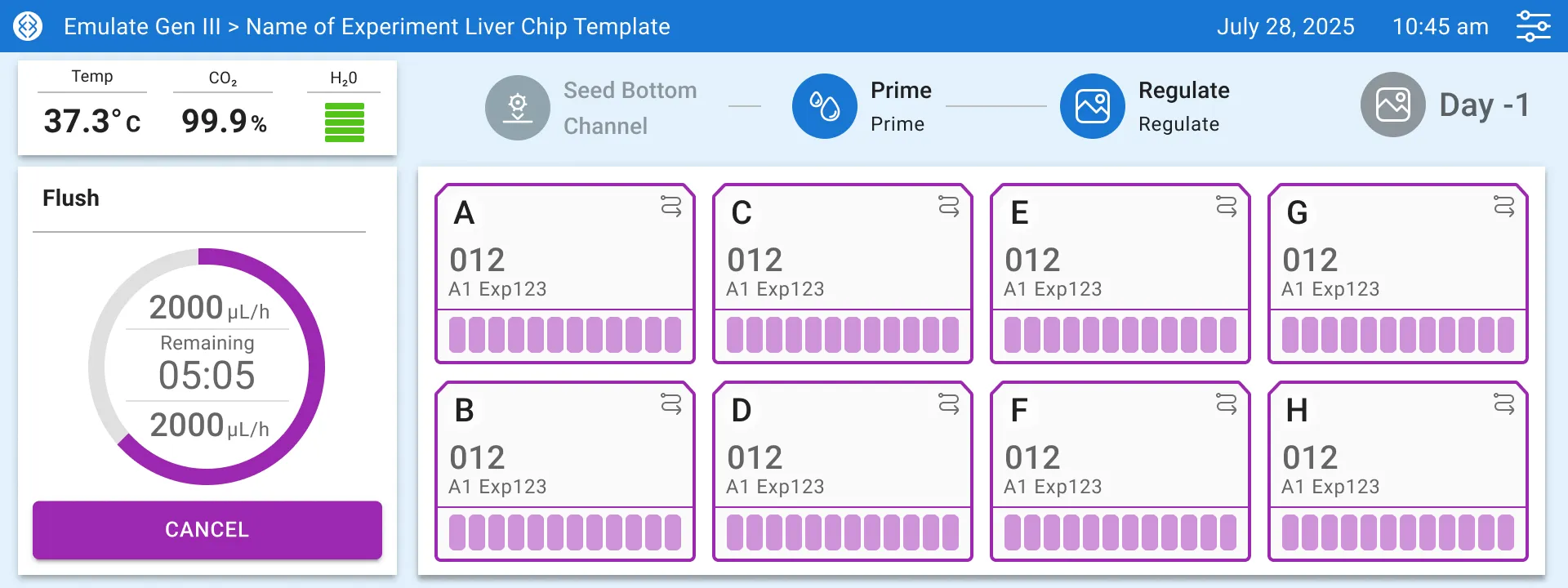
The architectural decisions we made early in the project paid dividends throughout development. Clear separation of concerns between the Electron main process and React renderer processes meant that platform-specific optimizations could be implemented without affecting the core application logic.
Accelerating Development Through Smart Architecture
Our component-based architecture wasn't just about code organization—it was about team efficiency. By implementing a test-first development process alongside our modular approach, we accelerated overall development by 40%. This wasn't just faster coding; it was faster, more reliable coding with built-in quality assurance.
The test-first approach meant that bugs were caught early, reducing the time spent on debugging and rework. More importantly, it gave the team confidence to refactor and optimize without fear of breaking existing functionality.
Streamlining Team Operations
One of our most impactful achievements was reducing on-boarding time by 60%. This wasn't achieved through documentation alone, but through standardized workflows and clear role-based task allocation. New team members could become productive quickly because they understood both what to do and how their work fit into the larger system.
We implemented clear coding standards, testing processes using Vitest, established review processes, and created modular task definitions that allowed team members to work independently. The technical road map served as both a development guide and a communication tool, ensuring everyone understood project priorities and dependencies.
Engineering Elegant Solutions
Our React component library transformation was critical towards our development velocity. By implementing a render props pattern along with context for our components, we were able to support component re-usability which helped expedite our deliverables. The render props pattern allowed us to separate component logic from presentation, making it possible to create powerful, reusable components that could adapt to different use cases without code duplication.
Delivering Real-Time Performance
The real-time synchronization system we built represents the technical heart of our application. Using WebSocket middleware, we achieved sub-100ms state synchronization between experiment devices and the user interface. The architecture we developed could handle high-frequency updates without overwhelming the UI thread, maintaining responsive user interactions even during intensive data processing.
05. Conclusion
This project reinforced my belief that successful engineering leadership isn't just about technical expertise—it's about creating systems and processes that enable teams to do their best work.
The lessons learned from building this cross-platform application continue to influence my approach to engineering leadership: start with clear architectural vision, invest in team processes that scale, and never underestimate the power of well-designed abstractions to simplify complex problems.